
Say it. Your Mac does it. — Triggerfishh voice-activated Mac automation
Triggerfishh lets you control any Mac app with your voice — launch apps, run scripts, automate workflows, all hands-free.
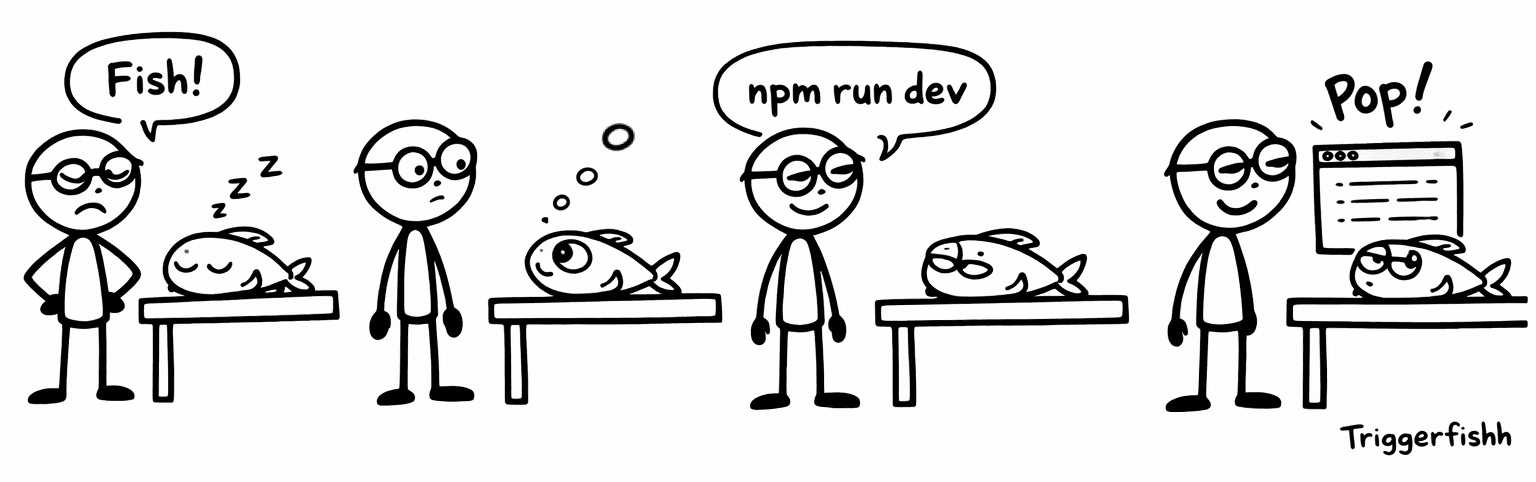
A Fish Story
Triggerfishh in a nutshell
So, what are you tired of typing all the time?
npm run dev
Front-end development will never be the same
How to create a command
Stop being the bottleneck in your Agentic workflows.

Teach your Mac
some new tricks!
Describe what you want to automate.
Triggerfishh will just do it.
No coding required!
Features
Triggerfishh has some pretty cool stuff
Works with any Mac app
Triggerfishh generates automation commands for any application — not just a preset list. It uses AI to write the AppleScript, shell commands, or App Intents needed to control whatever you throw at it.
AI-powered command creation
Describe what you want in plain English. Triggerfishh’s AI writes the automation. Supports OpenAI, Claude, Gemini, and Grok — bring your own API key.
Custom Trigger Words
The default is Fish, and that's our favorite, to be honest, but you can add any word you like. Pick one for different contexts, like "Script" for scripts, "Open" to open apps, whatever tickles your fancy. Time to get your 'Hey Jarvis' on!
Smart command matching
Fuzzy matching means you don’t have to say the exact trigger phrase. Triggerfishh figures out what you meant, with configurable confidence levels. We know when you say dessert, you really meant desert — but we’re bringing cake anyway.
Privacy first
All the voice recognition is processed locally. All the commands execute locally.
Sound like a Fish
Audio cues let you know what’s happening without looking at the screen. Customize every sound, or turn them all off.
How It Works
Three steps to limitless power*
For example, let’s set up a Command to turn Dark Mode on...
Create a command
Describe your Command using plain old English:
“Turn on Dark Mode please!”

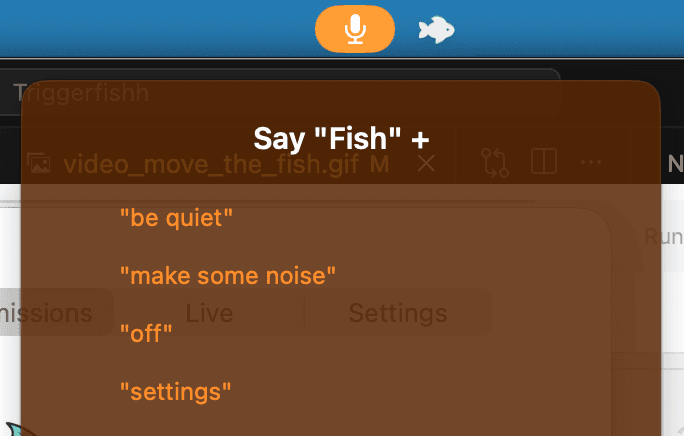
Say the trigger word
Say “Fish” to wake the Fish up!


Say your command phrase
Say “Dark Mode” and it just happens! That’s it. Hands-free.
Pricing
One price. Own it forever.

Triggerfishh
one-time · launch price
What's included
- Lifetime license for one user
- All future updates
- All built-in voice commands
- AI command generation (bring your own API key)
- Custom wake words
Not included
- —AI API usage (you use your own AI provider)
FAQ
Questions & Answers
macOS 26 (Tahoe) or later. Triggerfishh relies on Apple’s latest speech recognition services that are only available on macOS 26+. Earlier versions are not supported.
No. Triggerfishh requires any Apple Silicon Mac. Intel Macs are not supported.
Yes. Triggerfishh uses AI to generate automation commands from your descriptions. You’ll need an API key from one of the supported providers (OpenAI, Anthropic/Claude, Google Gemini, or xAI/Grok). The cost of AI API usage depends on your provider and how many commands you create. Most users spend very little — each command generation is a single API call.
Not at all! We only use the AI provider to create your commands, which uses a trivial number of tokens, we’re talking pennies here. After that everything happens locally on your computer and doesn’t use AI at all!
Any Mac app. Triggerfishh generates automation commands using App Intents, AppleScript, and shell commands. If an app can be scripted or launched from the command line, Triggerfishh can control it.
Speech recognition is handled by Apple’s on-device services. Your voice audio stays on your Mac. When you create a new command, the text description (not audio) is sent to your chosen AI provider to generate the automation script. Yeah, we’re pretty serious about protecting your privacy.
Check that your system meets the requirements above. If you’re on macOS 26+ with an Apple Silicon Mac and still having issues, email contact@triggerfishh.com for support. Also check out our videos online for helpful tips and tricks.
It works without AI with limited functionality, but seriously — you really do need an API provider to get the full Triggerfishh experience. Connect OpenAI, Anthropic, Google, or xAI to create powerful automations for your trigger words.
Get the App
Ready to go hands-free?
- 1Purchase a license
- 2Download the .dmg
- 3Add your AI API Key
- 4Tell your Fish what to do!